
Your Business Phone System, In Any Browser
Give every member of staff a full business phone without shipping a single handset. They open a browser, sign in, and they are ready to take customer calls.
Fewer Missed Calls, Less Admin, Happier Staff
Everything your people need to answer customers properly, without hardware getting in the way.
Get Your Team Calling in Minutes
Staff sign in through their browser and start taking business calls. No software to install, no IT ticket, no desk phone to ship.
Stop Transferring Calls Into Voicemail
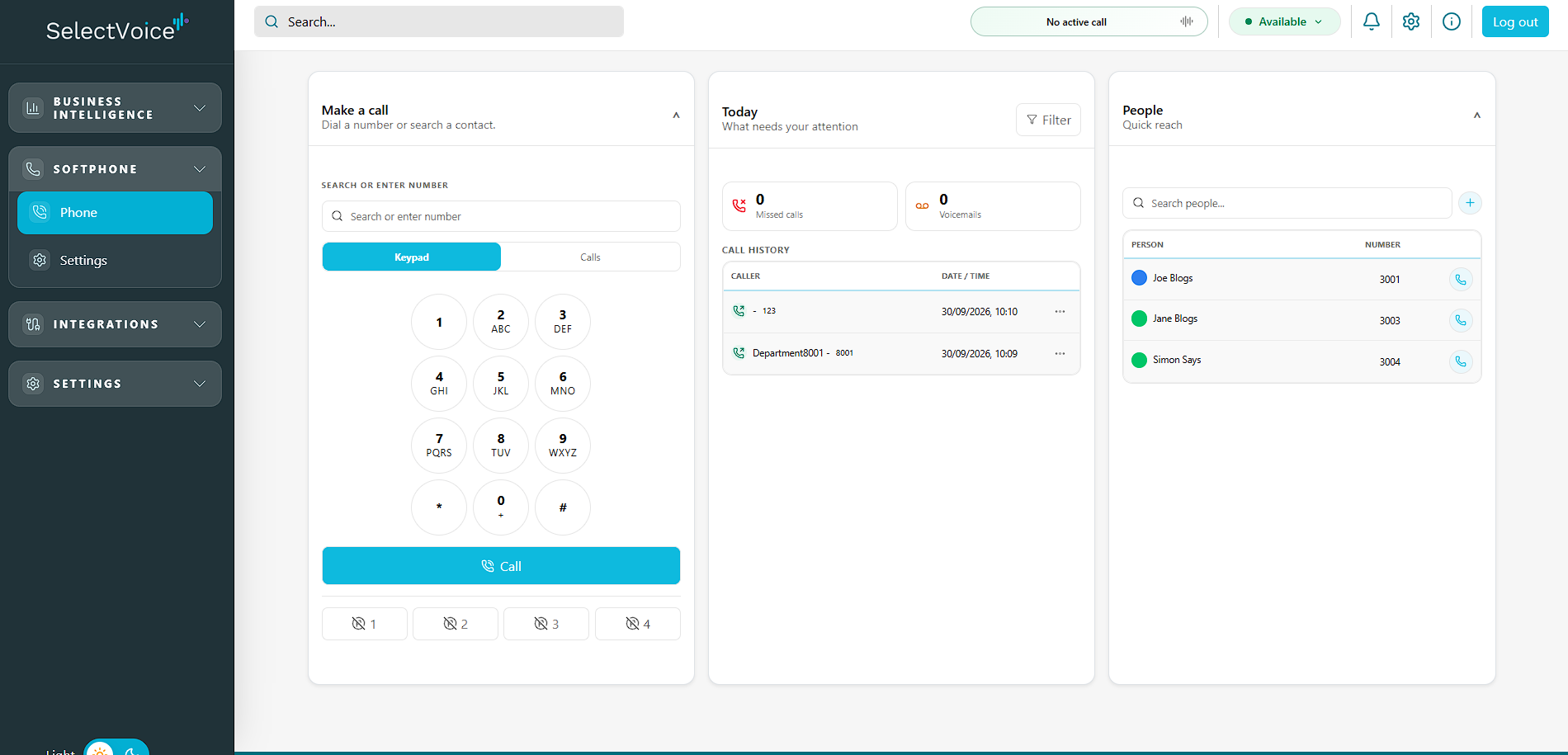
See at a glance who is available, busy or on a call before you transfer, so customers reach a real person first time.
Start the Day Knowing What Needs Attention
Missed calls, voicemails and recent call history sit on one screen, so nothing from yesterday gets forgotten today.
Work From Anywhere Without Losing Calls
Staff set their own forwarding to mobile or a colleague, so calls follow them between the office, home and the road.
Fix Audio Problems Without Calling Support
Users pick their own headset, microphone and speaker, and run connection diagnostics themselves in a couple of clicks.
Keep Control as You Grow
Add a new starter, change an extension or update a profile centrally - the browser app picks it up straight away.
Let Staff Sort Their Own Phone Out
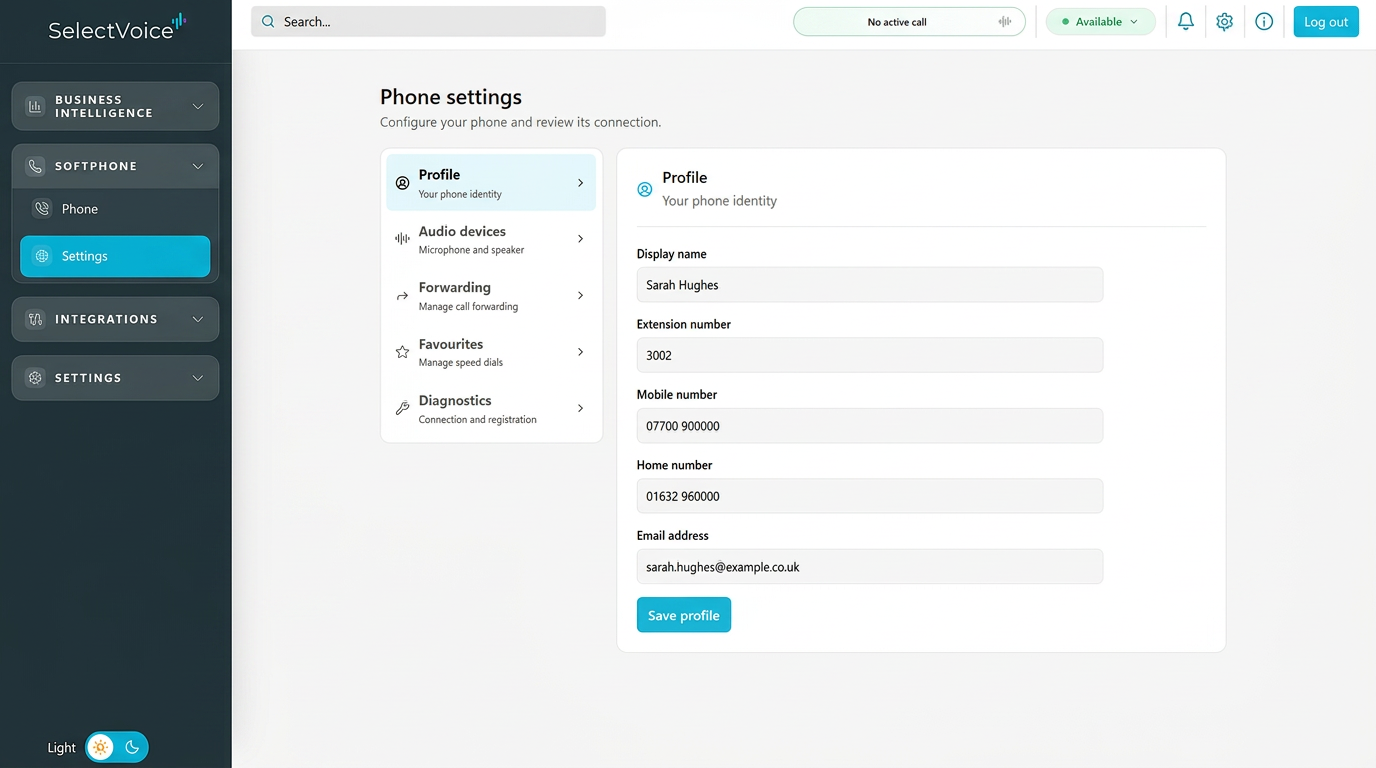
Most phone system support tickets are small things: a new headset, a changed mobile number, calls that need diverting for the afternoon. Your people handle all of it themselves in a few clicks.
- Profile details, extension and contact numbers
- Microphone and speaker selection for any headset
- Call forwarding to mobile, colleague or voicemail
- Favourites and speed dials for frequent contacts
- Connection diagnostics before raising a ticket
Who Gets the Most From It
Hybrid and home workers
The same phone experience at home as in the office, on whatever laptop they have to hand.
Busy reception and support teams
Fast dialling, call history and colleague presence in one window alongside their other tools.
Growing SMEs
Add people without buying handsets, then mix in desk phones later where they are genuinely needed.
IT managers and resellers
Nothing to deploy or patch on each machine - a browser and a login is the whole requirement.
Common Questions
Does the SelectVoice softphone need installing?
No. It runs in a standard web browser such as Chrome or Edge. Staff sign in with their SelectVoice details and can make and receive calls straight away.
Can staff still use desk phones?
Yes. The browser softphone works alongside Yealink desk phones and mobile apps on the same extension, so people can choose whichever suits the task.
What do staff need for good call quality?
A reasonable broadband connection and a USB or Bluetooth headset. Audio devices are chosen in the app's own settings, and built-in diagnostics confirm the connection is healthy.
Can users manage their own forwarding and speed dials?
Yes. Each person controls their profile, call forwarding and favourites without raising a request, which takes day-to-day admin away from your IT team.